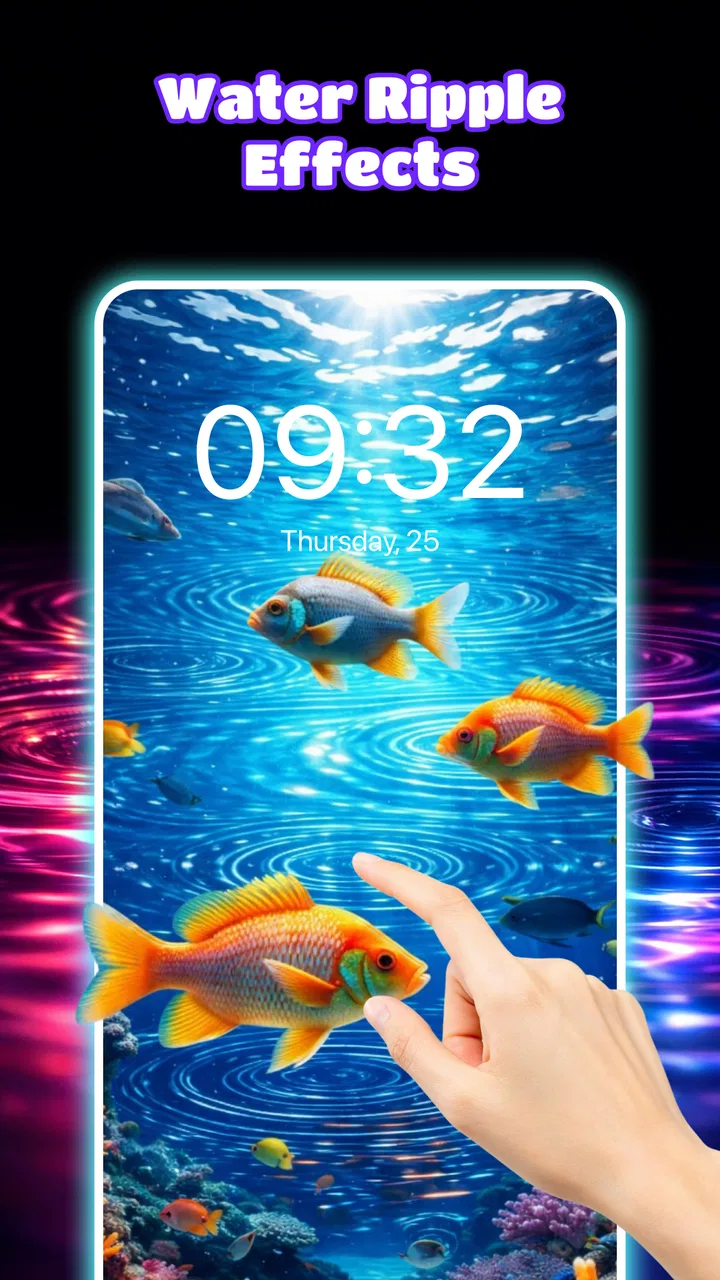
3D Live Wallpaper: 4D & 4K
- 4.6
- Rating
- 50.00K
- Installs
- Free
- Price

 Analysis by App-foxy
I like personalization apps that change the way a phone feels without asking me to rebuild the entire interface. 3D Live Wallpaper: 4D & 4K takes that simple idea and focuses it on one visual trick: wallpapers that appear to shift with the movement of the phone. The result is more noticeable than a regular still image, but it is also more demanding and more dependent on the quality of the chosen background.
This is a free personalization app from Themes Design Apps, aimed at people who want a more animated home or lock screen. It is suitable for Everyone, works from Android 9 onward, and its current version is 1.0.5. The app has reached over 50 thousand installs and holds a 4.6 average from around 686 ratings, which suggests that the concept is connecting with a useful group of users even though it remains a fairly focused tool rather than a complete phone-customization suite.
How the parallax effect changes a normal wallpaper
The main capability here is the 4D parallax effect. In everyday use, that means the background is designed to create a sense of depth when I tilt or move the phone. Instead of every part of the picture sitting on one flat plane, the foreground and background appear to respond differently, giving the image a layered look.
You May Also Like

 Blood Strike: 2.5 Anniversary
Blood Strike’s Loadouts Turn Every Drop Into a Tactical Gamble
A close look at Blood Strike’s custom loadouts: how fast access to signature weapons reshapes its battle royale rhythm, rewards preparation, and narrows the gap between fights.

 Pandora - Music & Podcasts
Pandora’s Music Is Easy to Start, but Harder to Recover
Pandora’s strength is its low-effort path from a seed to a station. Its weak spot is how much confidence it asks you to place in connection, setup, and quiet recovery.

 8 Ball Pool
 Is Built on Rivalries, Rematches, and Routine
A close look at the rivalries, rematches, shared routines, and unanswered safety questions that turn a quick pool match into a persistent mobile community.

 Samsung Music
’s Quiet Strength Is Playing What You Already Own
Its reach comes less from spectacle than from dependable access to a personal library. That simplicity is both the app’s strongest retention engine and its ceiling.

 AccuWeather: Weather Radar
AccuWeather Review: A Quick, Clear Forecast for Everyday Decisions
For everyday plans, the best forecast is the one you can understand quickly. AccuWeather makes rain timing, radar, and local conditions easy to act on, with a few trade-offs.

 Hill Climb Racing
Why Hill Climb Racing Still Turns Crashes Into One More Run
A tiny car, a bumpy hill and one more upgrade: Hill Climb Racing keeps resurfacing because its simple chaos makes every near-miss feel personal.
More From Our News Desk



That distinction matters because a live wallpaper can otherwise feel like little more than a video playing behind the icons. Parallax is subtler. The effect is strongest when I move the phone slightly while checking the home screen, swiping between pages, or lifting it from a desk. It is not a replacement for a full animated scene, but it can make a carefully selected image feel less static.
The 4K label is most useful when understood as a promise of detailed source artwork rather than a guarantee that every phone will display every pixel at that quality. The visible result still depends on the screen, the way Android crops the wallpaper, and the resolution of the device. On a modern display, detailed backgrounds can look crisp; on a smaller or older screen, the benefit is less dramatic.
I found the depth effect more convincing with images that have a clear subject in front and open space behind it. A car against a distant road, a figure in a dramatic landscape, or a space scene with separated layers can make the movement easy to notice. A flat pattern or a tightly packed image has less room to create convincing separation, so choosing the right wallpaper is more important than the headline feature might suggest.
What the effect feels like during ordinary phone use
The movement is not something I stare at continuously. It appears in short moments: when I wake the phone, return to the home screen, or rotate the device in my hand. That makes it a good fit for users who want a small visual reward rather than a constantly changing screen.
There is also a practical advantage to this restrained style. A very busy animated background can compete with app icons, widgets, and text. A layered image with controlled movement can add personality while leaving the interface usable. I would still avoid placing small widgets over the most detailed part of the scene, because motion and visual clutter together make labels harder to read.
One useful approach is to treat the wallpaper like a backdrop for the whole layout. I first choose where the clock, weather widget, and most-used icons will sit, then select an image whose important subject is not hidden underneath them. This simple step makes the 4D illusion look more intentional and prevents the screen from feeling crowded.
Setting it up without making the home screen messy
The basic workflow is straightforward in concept: browse the available visual styles, preview a background, and apply the one that suits the phone. The important decision is not merely whether an image looks attractive in a preview. I also consider how it will be cropped in portrait orientation and whether the parallax layers still make sense once icons cover part of the composition.
I recommend testing a wallpaper for a few minutes before committing to it as the daily background. Watch the screen while opening and closing an app, move between home pages, and check whether the subject stays in a comfortable position. A wallpaper that looks impressive in isolation may become distracting once notifications, folders, and widgets are added.
Another practical tip is to keep a simpler alternative in mind. If I am heading into a long workday, traveling, or trying to reduce visual distractions, a still background may be better. The app is most enjoyable when the animation supports the phone rather than demanding attention every time I unlock it.
Users may also wonder whether the effect requires a special launcher. The app is designed as a wallpaper tool, so its value is tied to the phone’s normal wallpaper behavior rather than to replacing the launcher. That makes it easier to fit into an existing setup, although the exact appearance can still vary between Android devices and manufacturer interfaces.
Where this app makes the most sense
I’d use this section to think about when the wallpaper’s motion is worth having, rather than treating it as an effect that should stay switched on all day. A helpful test is to notice whether I enjoy seeing the depth when I pick up my phone, while also checking that the image remains clear during quick tasks such as reading a notification or finding an app.
A realistic everyday scenario
Imagine using the phone as a bedside alarm and checking it several times before getting up. A regular image can disappear into the background after a few days, while a restrained depth effect gives the screen a little life whenever the handset is picked up. In that situation, I would choose a dark scene with one clear focal point, place the clock in an empty area, and avoid a background filled with bright details.
The same idea works well for someone who uses the phone as a personal display at a desk. When the screen wakes for a message or calendar check, the layered image creates a quick visual change without requiring an interactive widget or a full theme. It is a small detail, but it can make a familiar device feel more personal.
I can also see the appeal for people who regularly change their wallpaper to match a mood, season, hobby, or favorite visual style. The 4D treatment gives those changes more impact than simply downloading another static photograph. It is especially suitable for a phone that is already organized and only needs a new visual centerpiece.
Why it can beat a standard still image
A normal wallpaper is predictable, efficient, and often easier to read. This app’s advantage is emotional rather than functional: the screen feels more dimensional and less flat. For a user who enjoys presentation and notices small interface details, that change can be worthwhile.
Compared with a video wallpaper, the parallax approach can feel less overwhelming. A video may show constant motion, while a depth-based background reacts in shorter bursts. That makes it easier to live with on a home screen where I still need to find icons and read widgets. The trade-off is that it may seem too subtle for someone expecting a dramatic animated scene.
Compared with a complete theme pack, this app is narrower. It concentrates on the background instead of changing icons, menus, fonts, or system colors. That is a strength if I already like my launcher and icon arrangement. It is a weakness if I want one download to redesign the entire phone.
Where the experience becomes less convincing
The parallax effect depends heavily on composition. If the selected image has no obvious depth cues, the movement can look like a slight shift rather than a genuinely three-dimensional scene. I would not judge the whole app from one wallpaper; I would try several styles and pay attention to how much separation each image creates.
Battery behavior is another sensible consideration with any live wallpaper. I would not assume that an animated background is completely free of power impact, particularly on a phone with an older battery or a large, high-resolution display. The app may be perfectly reasonable for many users, but anyone trying to extend battery life as far as possible should prefer a static image when endurance matters more than visual motion.
Performance can also vary by device. Android 9 is the minimum operating system, so the app is accessible to a wide range of phones, but older hardware may not deliver the same smoothness as a newer model. If the effect feels delayed or the phone becomes less responsive, the visual upgrade is not worth keeping active on that device.
The free entry point is helpful for trying the concept, but in-app purchases range from $4.99 to $29.99 per item. That makes it important to decide how much the wallpaper experience is worth before buying anything. I would begin with the free material, live with a chosen background for a day or two, and only then consider paid content if it genuinely improves the way I use the phone.
Small habits that improve the result
I get better results by matching the wallpaper to the phone’s orientation and icon layout rather than choosing only by color. Portrait-friendly artwork with a strong subject near the center or upper third usually survives cropping better. Images with important details at the edges can lose their impact when the system adjusts them to fit the screen.
I also keep widgets visually simple. A transparent clock or a compact weather display lets the depth effect remain visible, while several large widgets can flatten the composition and hide the layers. This is not a limitation of the app alone; it is a reminder that a live wallpaper works as part of a layout, not as an isolated picture.
For a calmer setup, I would use a darker background and brighter icons. For a more expressive setup, I would choose a colorful scene but reduce the number of home-screen pages and folders. The best result comes from giving the wallpaper enough empty space to breathe.
Who should download it and who should skip it
I think this app is a good match for Android users who enjoy changing their phone’s appearance but do not want a complicated customization project. It is also appealing to anyone who likes photography, fantasy scenes, cars, nature, or futuristic imagery and wants those visuals to feel slightly more alive.
It is particularly useful when the phone already has the right icons, launcher, and widgets. In that situation, a parallax wallpaper adds a noticeable change without forcing me to alter the rest of the interface. The app’s focused nature becomes an advantage because I can personalize one layer of the phone and leave everything else alone.
I would be more cautious if I use an entry-level handset, rely on maximum battery endurance, or prefer a completely still and distraction-free screen. People who expect advanced launcher controls, animated widgets, icon packs, or a full system makeover will probably find a dedicated theme or launcher more suitable. Likewise, anyone looking for constant cinematic motion may prefer a video-wallpaper app.
The age rating of Everyone makes it easy to consider for a broad household audience, and the minimum requirement of Android 9 means it is not limited to only the newest phones. Still, compatibility on paper is not the same as an identical experience everywhere. Screen size, manufacturer software, hardware performance, and wallpaper handling can all affect how polished the final result feels.
The developer, Themes Design Apps, has kept the product centered on visual personalization rather than adding unrelated tools. That focus is welcome, but it also means the app should be judged by the quality and usefulness of its wallpaper experience. If the available designs do not match my taste, the 4D effect alone will not rescue the installation.
My overall view is positive, with a clear condition: the best reason to use it is the depth effect, not simply the promise of a sharper background. When the artwork has convincing foreground and background separation, the phone feels more distinctive every time I tilt it. When the image is poorly suited to parallax, the result can be ordinary, and the extra motion may not justify the cost or battery consideration.
At no charge to start, it is easy to experiment without changing the rest of the phone. I would spend time previewing different compositions, checking icon readability, and testing the screen during normal routines rather than judging it from a single glance. For users who want a subtle but visible upgrade to their home screen, this is a focused option worth trying. For those who want maximum efficiency or a complete theme overhaul, a static wallpaper or broader customization app will likely be the better choice.
FAQs for 3D Live Wallpaper: 4D & 4K
01What is 3D Live Wallpaper: 4D & 4K and how does it enhance my device?
3D Live Wallpaper: 4D & 4K is an app designed to transform your device's background with dynamic, high-quality 3D and 4K visuals. It offers a wide range of interactive wallpapers that respond to motion sensors, providing a more immersive experience. This app enhances aesthetic appeal and can make your device feel more personalized and engaging.
02How does the app impact battery life and performance?
Using dynamic wallpapers can affect battery life as they consume more power than static images. However, 3D Live Wallpaper: 4D & 4K is optimized to minimize battery drain by efficiently managing resources. Users can also customize settings to balance visual effects and battery usage according to their preferences.
03Is the app compatible with all Android and iOS devices?
3D Live Wallpaper: 4D & 4K supports a wide range of Android and iOS devices, but some older models may not fully support all features due to hardware limitations. It's advisable to check the app's compatibility with your specific device model in the app store before downloading to ensure optimal performance.
04Are there in-app purchases or subscription fees?
While 3D Live Wallpaper: 4D & 4K is free to download, it does offer in-app purchases for premium content and features. Users can access a broader selection of exclusive wallpapers and remove ads through these purchases. Subscription options may be available for regular updates and additional benefits.
05Can I create or upload my own wallpapers to the app?
Currently, 3D Live Wallpaper: 4D & 4K focuses on providing a curated library of professional-quality wallpapers. While the app does not support user-uploaded content, it frequently updates its collection, offering fresh, high-quality options for users to enjoy. Suggestions for new content can often be submitted to the developers.
Pros
- Stunning 3D animations enhance device aesthetics.
- Wide variety of wallpapers for personal taste.
- User-friendly interface simplifies navigation.
- Low battery consumption despite high-quality graphics.
- Regular updates introduce new and exciting themes.
Cons
- Some wallpapers require in-app purchases.
- Occasional ads can interrupt user experience.
- Limited customization options for animations.
- May not be compatible with older devices.
- Initial loading time can be slightly lengthy.

3D Live Wallpaper: 4D & 4K
Gallery